Do You Need a Geometry Dash Account to Play? (2026 Guide)
If you are just getting started with Geometry Dash, you may have one question before jumping into the game: Do I need an account to play Geometry Dash? You might also be wondering how to create an account in Geometry Dash and whether signing up is necessary before you can start playing. The simple answer is no. You can play Geometry Dash without creating an account, so registration is not required for basic gameplay.
However, having a Geometry Dash account can make things easier in 2026, especially if you play GD regularly and want to use features such as saving your progress, transferring game data, commenting on levels, or uploading your own creations. Let’s look at what you can do without an account, what features require registration, and when creating an account actually makes sense.
Do You Need an Account to Play Geometry Dash?
You do not need an account simply to play Geometry Dash. RobTop’s official FAQ confirms that unregistered users can still play levels, while registered users get access to the wider set of online features. This means you can play Geometry Dash without an account if your main goal is to enjoy the game and play levels without participating heavily in its online community. The account requirement mainly matters when you want to interact with other players, upload your own creations, or protect your progress through cloud saving.
So, if you searched do you need a Geometry Dash account to play because you just installed the game, the simple answer is no. You can start playing first and create an account later if you decide that you need the additional features.
What Can You Do in Geometry Dash Without an Account?
Playing Geometry Dash without an account does not mean that the entire game becomes unavailable. An unregistered player can still play levels, including online levels, although several community features remain restricted. RobTop’s official FAQ specifically states that unregistered users can play levels but cannot comment or upload levels.
Here are some of the things you can do without registering:
The important distinction is between playing content and using account-based online features. You do not need a Geometry Dash account just to play, but you will need one for several activities that involve publishing, interacting with the community, or syncing account data.
What Do You Miss Without a Geometry Dash Account?
The main downside of playing Geometry Dash without an account is that you lose access to several online features that are designed around registered profiles. The official FAQ states that unregistered players cannot comment or upload levels, while registered players have access to the online features. If you are a casual player, these limitations may not bother you at all. If you regularly play custom levels, create your own content, or switch between devices, however, a Geometry Dash account becomes much more useful.
Saving and Syncing Your Geometry Dash Progress
One of the biggest reasons to create an account is the ability to save your game data to the cloud and load it on another device. RobTop’s official FAQ explains that you can use the Save option on one device and then log into the same account on another device and use Load to transfer your data. This is particularly useful if you play Geometry Dash on more than one device or reinstall the game. The cloud save system gives you a way to keep a backup of your progress instead of relying entirely on the local save data stored on your device.
You should still remember that cloud saving is not an automatic guarantee against every type of data loss. RobTop’s FAQ recommends saving your data to the cloud regularly because lost data cannot be recovered by the support team.
Access to Online and Community Features
Geometry Dash has a large community built around user-created levels, player profiles, comments, ratings, and other online interactions. A registered account allows you to participate in these features instead of simply playing levels as an unregistered user. For example, the official Geometry Dash Wiki notes that registered users can interact with user levels through features such as comments, likes or dislikes, and level-related leaderboards.
If you only want to play Geometry Dash without an account, you can still enjoy the core gameplay, but you will miss much of the social side of the community.
Uploading and Sharing Your Own Levels
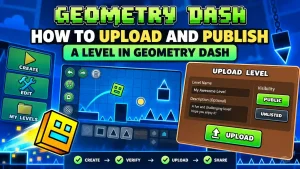
You can use the Geometry Dash level editor to create your own levels, but publishing a level to the online server is different from creating one locally. A Geometry Dash account is required to upload levels to the server. This distinction is useful for new players because they sometimes assume that creating a level and uploading a level are the same thing. You can work on your own creations locally, but if you want other players to find and play your published level, you need an account.
Comments and Player Interaction
An unregistered Geometry Dash player cannot comment, while registered players can use the account-based community features. This means that you can play a custom level without creating an account, but you cannot participate fully in discussions around that level as an unregistered user. If you enjoy reading and leaving comments, following creators, or becoming part of the Geometry Dash community, registering an account makes much more sense.
Online Profile and Player Identity
A Geometry Dash account also gives you a registered player profile that can be used across the game’s online features. The official FAQ distinguishes between unregistered users and registered users, with registered players receiving access to the online features associated with their account. This becomes more useful as you spend more time in the community because your online activity can be associated with your registered profile instead of remaining limited to local gameplay.
Geometry Dash With an Account vs Without an Account
The easiest way to understand the difference is to compare what each option gives you.
| Feature | Without Account | With Account |
| Play Geometry Dash | Yes | Yes |
| Play levels | Yes | Yes |
| Play online levels | Yes | Yes |
| Create local levels | Yes | Yes |
| Comment on levels | No | Yes |
| Upload levels | No | Yes |
| Online profile | Limited/No | Yes |
| Cloud save | No | Yes |
| Transfer data between devices | No | Yes |
| Community features | Limited | Yes |
The most important difference is that an account is not required for basic gameplay. Instead, it gives you access to features that become useful when you want to participate in the Geometry Dash community or protect and transfer your save data.
Do You Need a Geometry Dash Account for Custom Levels?
You do not need an account simply to play levels created by other players. RobTop’s official FAQ says that unregistered users can still play levels, while the official wiki explains that user levels are community-created levels that players can access and interact with through the online system. The important difference comes when you want to upload your own custom level. According to the official Geometry Dash Wiki, a Geometry Dash account is required to upload levels to the server, so an account becomes necessary for creators who want to publish their work for other players.
Therefore, if you are asking Do you need an account to play custom levels?, the answer is no for playing them, but yes if your goal is to upload and publish your own levels.
Can You Create Geometry Dash Levels Without an Account?
Yes, creating a level locally is different from uploading it to the online server. The official editor guide explains that the Create section contains custom levels saved locally, while public levels are accessed separately through the online system. You can therefore experiment with the level editor, build layouts, test gameplay, and work on your own creations without immediately publishing them online. Once you decide that you want to share your creation with other Geometry Dash players, you will need a registered account because level uploads require an account.
Is a Geometry Dash Account Free?
Creating a Geometry Dash account is separate from purchasing the game itself. The account is used for the game’s online services, profile features, and cloud-related functions, while buying the game gives you access to the paid version on the platform where you purchased it. If you already own Geometry Dash, creating an account does not mean that you need to purchase the game again. Your game purchase and your Geometry Dash account serve different purposes, although the exact purchase requirements can differ when moving between platforms.
How to Create a Geometry Dash Account
If you decide that you want the additional features, you can create a Geometry Dash account and then use it to log into the game’s online services.
The current official FAQ recommends using the Account Manager website if in-game registration does not work correctly because the in-game registration process can be inconsistent. You need an email address that has not already been used for another account, and the official FAQ also explains the current password and email requirements.
The general process is:
If registration fails inside the game, use the official Account Manager instead, as this is the method currently recommended by the Geometry Dash FAQ.
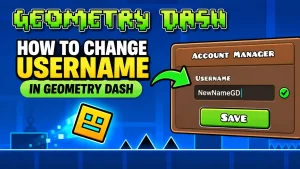
Note: Your Geometry Dash username is part of your player profile, and you can update it later if you want a different name. If you need help with this, check our guide on how to change your username in Geometry Dash.
What Happens If You Play Geometry Dash Without an Account?
If you continue playing without an account, you can still play levels, but your access to online community features remains limited. The bigger concern is your local game data, especially if you play on a mobile device and later uninstall the game. RobTop’s official FAQ explains that uninstalling Geometry Dash on Android or iOS removes the local data from the device, while data that has already been saved to the cloud can be loaded again after reinstalling. On PC, deleting the game does not remove the save-file folder in the same way.
This is why creating an account can be a smart choice for regular players even if an account is not technically required to play.
Can You Save Geometry Dash Progress Without an Account?
You can continue playing without registering, but you should not treat local progress as the same thing as an account-backed cloud save. The official Geometry Dash FAQ specifically describes cloud saving as an account feature and explains that transferring data to another device requires logging into the same account. If you have spent a lot of time completing levels or building custom creations, creating an account and regularly using the Save function is the safer approach for protecting your progress.
It is also worth remembering that loading cloud data does not simply erase everything on the device. RobTop states that loading data merges save files rather than overwriting existing data.
Can You Transfer Geometry Dash Progress to Another Device?
Yes, but you need to use the same Geometry Dash account for the transfer. RobTop’s official instructions say to select Save on the device containing your data, then log into the same account on the other device and select Load. This makes a Geometry Dash account particularly useful for players who move between devices or want a cloud copy of their progress. Data cannot be transferred directly from one Geometry Dash account to another, according to the official FAQ.
Should You Create a Geometry Dash Account?
For a casual player who only wants to play Geometry Dash and does not care about online interaction, an account is optional because you can still play levels without registering. For a regular player, however, creating an account is usually worthwhile because it gives you access to cloud saving, data transfer, online profile features, commenting, and level uploading. The more involved you become with custom levels and the Geometry Dash community, the more useful the account becomes.
If you create levels and want other players to play them, you will need an account to upload them to the server. If you switch devices or want a cloud backup of your progress, an account is also strongly recommended.
Frequently Asked Questions
Can you play Geometry Dash without an account?
Yes, you can play Geometry Dash without an account. RobTop’s official FAQ confirms that unregistered users can still play levels, although they cannot use certain online features such as commenting and uploading levels.
Do you need a Geometry Dash account to play custom levels?
No, you do not need a Geometry Dash account simply to play custom levels created by other players. An account becomes necessary when you want to upload your own levels or use other registered online features.
Can you save Geometry Dash progress without an account?
Your game can retain local data without a registered account, but account-based cloud saving requires an account. RobTop recommends saving your data to the cloud regularly because lost data cannot be recovered.
Is a Geometry Dash account free?
A Geometry Dash account is separate from purchasing the game, and creating an account is used for accessing the game’s online account features. You do not need to buy another copy of the game simply because you decide to create an account.
Can you create Geometry Dash levels without an account?
Yes, you can create and work on local levels in the editor without immediately publishing them online. If you want to upload the finished level to the Geometry Dash server for other players, you need a registered account.
Can you upload a Geometry Dash level without an account?
No. A Geometry Dash account is required to upload a level to the server, so players who want to publish their creations need to register an account first.
What happens if you uninstall Geometry Dash without an account?
The result depends on your platform. On Android and iOS, deleting the game removes local data from the device, while cloud-saved data can be loaded again after reinstalling. On PC, the local save folder is not removed in the same way when the game is deleted.
Can I transfer Geometry Dash progress to another device?
Yes, you can transfer your data by saving it to the cloud on one device and loading it on another device using the same Geometry Dash account. RobTop also states that data cannot be transferred from one account to another.
How do I create a Geometry Dash account?
You can register through Geometry Dash’s account system, but RobTop currently recommends using the Account Manager website if in-game registration does not work properly. You will need a new email address for the account and must follow the current registration requirements.
Is a Geometry Dash account required on PC, Android, or iPhone?
The basic answer is no, because unregistered users can still play levels. The benefits of having an account are more important when you want cloud saving, data transfer, level uploads, commenting, and other online features.
Final Answer: Do You Need a Geometry Dash Account to Play?
You do not need a Geometry Dash account to play the game. You can play levels without registering, so a new player does not have to create an account before starting Geometry Dash.
An account becomes useful when you want more than basic gameplay, especially if you want to save your progress to the cloud, transfer data between devices, comment on levels, maintain an online profile, or upload your own custom levels. For casual gameplay, an account is optional, but for regular players and level creators, creating one is a practical choice.