
How to Get Stars and Moons Fast in Geometry Dash (2026 Guide)
You can beat level after level in Geometry Dash, open your profile, and still see a star count that barely moves. That usually happens because you are playing unrated levels, and unrated levels pay nothing no matter how hard they are. Once you understand how to get stars in Geometry Dash from the right levels, every session starts adding to your total. This guide explains how to get stars in Geometry Dash with the exact reward for each difficulty, the fastest methods ranked by speed, a full section on moons from Update 2.2, and a simple fix for the moment a cleared level shows no reward.
What Are Stars and Moons in Geometry Dash?
Stars and moons are the two main progress rewards in Geometry Dash. You earn stars by beating rated classic levels in Normal Mode, and you earn moons by beating rated platformer levels, which RobTop added with Update 2.2 in December 2023. Both appear on your profile as separate counts.
The word that matters most here is rated. A level only becomes rated after RobTop or the mod team reviews it and gives it a difficulty, and that difficulty decides the reward. Plenty of player-made levels never get that rating, so beating them adds nothing to your stars, however long they took. That rule shapes every tip on how to get stars in Geometry Dash in the sections below.
How Many Stars and Moons Does Each Difficulty Give?
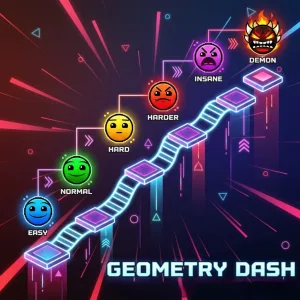
Knowing how to get stars in Geometry Dash starts with knowing what each difficulty pays, because the rating, not the level’s length, fixes the reward. Here is the reward for every difficulty face in the search results.
| Difficulty | Stars (classic levels) | Moons (platformer levels) |
|---|---|---|
| Auto | 1 | 1 |
| Easy | 2 | 2 |
| Normal | 3 | 3 |
| Hard | 4 to 5 | 4 to 5 |
| Harder | 6 to 7 | 6 to 7 |
| Insane | 8 to 9 | 8 to 9 |
| Demon | 10 | 10 |
A common question is how many stars a Demon gives, and the answer is 10 for every Demon level. Rated levels can also carry Featured, Epic, Legendary, or Mythic tags, with the last two added in 2.2. These tags mark levels the mod team picked for quality, so they are a good place to find well-made levels.
Fastest Way to Get Stars in Geometry Dash
The fastest way to get stars in Geometry Dash is to beat short-rated levels that match your skill, then add the Daily level and Weekly Demon every time they reset. Search filters help you find those levels in seconds, and the official main levels, Gauntlets and Map Packs fill in the gaps when you want a break from random levels.
Play Short Rated Levels at Your Skill Level
Level length matters a lot when you are working out how to get stars in Geometry Dash quickly, because a Tiny or Short level gives the same stars as a long level of the same difficulty. A 30-second Normal level and a three-minute Normal level both pay 3 stars, so the shorter one fills your total much faster. Auto levels play themselves, but at 1 star each they add up slowly. For most players, Hard and Harder levels are the sweet spot, because they pay 4 to 7 stars and usually take a few tries instead of a few days. If a Harder level eats your whole session, drop back to Hard.
Use Search Filters to Find Quick-Rated Levels
Finding good levels is the slowest part of how to get stars in Geometry Dash, and the search menu fixes that once you set it up. This setup works on every device:
- Open Online Levels from the main menu and tap Search.
- Open Filters and turn on the Star filter so only rated levels appear.
- Pick the difficulty faces that match your skill, such as Normal, Hard or Harder.
- Set the length to Tiny or Short to keep each run quick.
- Run the search and work down the list from the top.
You can also check the Awarded tab, which lists recently rated levels and gives you a fresh supply whenever your usual search results start to feel old.
Never Skip the Daily Level and Weekly Demon
The Daily level and the Weekly Demon are the easiest rewards to forget and the easiest to collect. Checking both on every reset is one of the simplest parts of how to get stars in Geometry Dash, since the Geometry Dash Daily level gives stars plus diamonds every day. The Weekly Demon resets once a week and pays Demon-level stars plus diamonds, so it deserves a serious try. Our guide on getting diamonds in Geometry Dash fast explains where to spend them.
Finish the Official Main Levels
Anyone figuring out how to get stars in Geometry Dash for the first time should start with the official main levels, because they give fixed stars that never change. Stereo Madness is the gentle starting point, while tougher stages like Clubstep and Deadlocked pay more because of their greater difficulty, and Dash is part of the same list. If you skipped any early on, going back now is an easy way to collect stars you already had access to.
Play Gauntlets and Map Packs
Gauntlets and Map Packs take the searching out of how to get stars in Geometry Dash, because they group rated levels into small ready-made sets. Every level inside them is rated, so every win counts toward your stars. They work well when the search results feel too random, and you want a clear set you can finish one level after another in order.
Stars per Minute: Which Method Is Fastest?
Speed is where most guides on how to get stars in Geometry Dash fall short, so this table compares the main methods by how quickly a typical player finishes them.
| Method | Stars per level | Speed |
|---|---|---|
| Short-rated Auto, Easy, and Normal levels | 1 to 3 | Very fast |
| Short rated Hard and Harder levels | 4 to 7 | Fast |
| Daily level | Depends on its rating | Fast, once a day |
| Easy Demons | 10 | Slow, high payout |
| Weekly Demon | 10 | Slow, once a week |
| Official main levels | Fixed per level | One time only |
Short Hard and Harder levels give most players the best mix of speed and payout, while Easy Demons only make sense once you can beat them without spending hours on each.
How to Get Moons in Geometry Dash
Learning how to get moons in Geometry Dash works almost the same way as stars, except the levels must be rated platformer levels. Beat them in Normal Mode, and the moons go straight to your profile as a separate count that sits next to your stars.
Find Rated Platformer Levels
Platformer levels let you move left and right freely instead of being pushed forward, which is the big change platformer mode brought in Update 2.2. To find rated platformer levels, use the same search setup as before with the Star filter turned on, and switch the search to platformer levels using the Plat. length filter. Start with Easy and Normal ratings, since those give the quickest moons while you get used to the controls, then move up once short Hard levels feel comfortable.
Best Moon Grinding Tips
Platformer levels feel different from classic ones, so a few habits make your Geometry Dash moons come in faster. Use checkpoints whenever a level offers them, because restarting a long section wastes more time than anything else. Short rated levels are still the best value, just like with stars. Spend a few minutes getting comfortable with the left, right and jump controls first, and our Geometry Dash controls guide covers the setup for every device.
Star Grinding Plan by Skill Level
The right answer to how to get stars in Geometry Dash changes as you improve, so Geometry Dash star grinding works best with levels that match your current skill.
Beginners should stick to Auto, Easy and Normal levels with the Star filter on and the length set to Tiny or Short, since these pay 1 to 3 stars and build skill for harder ratings.
Mid-level players get the most from Hard and Harder levels, which pay between 4 and 7 stars and finish quickly once you learn their patterns.
Advanced players can push into Easy Demons and the Weekly Demon for 10 stars each. Our Demon guide shows how to practice them without burning out.
Why Didn’t I Get Stars After Beating a Level?
If a cleared level gave you no stars, it was most likely unrated, or you finished it in Practice Mode instead of Normal Mode. Only rated levels give rewards, and only full Normal Mode runs count. Being logged out can also stop your stars from saving to your account.
A missed reward is the most common problem players hit while learning how to get stars in Geometry Dash, so check whether the level page shows a rating first. A level can also lose its rating after a review, and then it stops paying stars. Our Practice Mode vs Normal Mode guide explains why practice runs never count.
Are Star Hacks and Mod Menus Worth the Risk?
Star hacks look like a shortcut for anyone searching how to get stars in Geometry Dash, but the risk is not worth it. Players caught star hacking with mod menus or modded APKs can get their accounts banned from the leaderboards, which removes them from the one place where stars show real progress. Hacking also skips the practice that makes harder levels possible later, and our Geometry Dash APK vs MOD APK article covers the other risks of modded files.
What Do Stars and Moons Unlock?
The reason to care about how to get stars in Geometry Dash is the achievements that unlock new icons and colors in your icon kit, so a higher count gives you more ways to style your cube and other forms. Stars and moons also push you up the leaderboards, where your totals are ranked against other players. The Unlock All Icons guide on our site covers icon unlocks in more detail.
Frequently Asked Questions
Do Auto levels give stars in Geometry Dash?
Yes, rated Auto levels give 1 star each. They play themselves, which makes them easy, but the low reward makes them slow compared to short Normal or Hard levels.
Do you get stars in Practice Mode?
No, Practice Mode completions give no stars at all. Practice Mode helps you learn a level with checkpoints, but only a full Normal Mode run collects the reward.
Do you need an account to save your stars?
Yes, you need an account to save your stars to the cloud and appear on the leaderboards. Without one, your progress stays on your device and counts toward no ranking.
Can you lose stars in Geometry Dash?
Normal grinding is safe, but star hacking can get your account banned from the leaderboards. Playing without an account is risky too, because your stars stay off the cloud if your device fails.
Do stars and moons count together on the leaderboard?
No, stars and moons are tracked as separate counts. Stars come from rated classic levels, while moons come only from rated platformer levels added in Update 2.2.
Conclusion
In short, how to get stars in Geometry Dash comes down to three habits: play short rated levels at your skill level, use the Star filter to find them fast, and never skip the Daily level or Weekly Demon. Rated platformer levels handle your moons the same way. Once your stars start piling up, our guide on how to get mana orbs in Geometry Dash fast shows where to grind next.