How to Play Geometry Dash: Complete Beginner Guide
Geometry Dash is one of the most popular rhythm games. It is available on Android and iOS. The game looks simple. But it needs fast focus and timing. In Geometry Dash, you control a small cube. The cube moves on its own. Your job is to jump at the right time. This guide explains everything step by step. It is made for beginners.

What Is Geometry Dash?
Geometry Dash is a rhythm platform game. You jump to the beat of music. Each level has obstacles. One mistake means restart. This makes the game challenging. But also very fun.
How Geometry Dash Gameplay Works
The game controls are simple.
- The cube moves forward by itself
- You tap to jump
- You avoid obstacles
Every jump matches the music beat. Music helps you time your moves.
Basic Gameplay Actions
Jumping
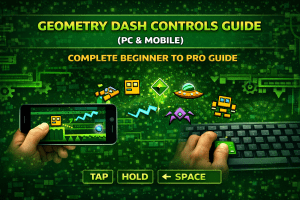
Tap the screen to jump. On PC, press Space or click mouse.
Jumping helps you:
- Avoid spikes
- Cross gaps
- Land on platforms
Flying and Holding
Some game modes need holding. Holding makes the character fly up. Release to go down.
This is used in ship and UFO modes.
How to Master Moves with Music
Listen Carefully
Music is your guide. Each beat tells you when to jump. Sharp beats mean fast jumps.
Slow music means careful timing. Turn volume on for best play.
Practice Often
You will fail many times. This is normal. Play the same level again. Soon the music stays in your mind. Your timing will improve naturally.
Understanding Geometry Dash Levels
Each level has a fixed path. Obstacles appear in patterns. Learning patterns is important.
Common Obstacles in Geometry Dash
Spikes
Spikes are everywhere. Touching them ends the run. Jump early to avoid spikes.
Saws
Saws rotate and move. They need perfect timing. Stay calm when facing saws.
Portals
Portals change the game mode.
They may:
- Change gravity
- Increase speed
- Change character
Be ready before entering portals.
Different Game Modes Explained
Cube Mode
This is the default mode. Tap to jump. Best for beginners.
Ship Mode
Hold to fly up. Release to fly down. Needs smooth control.
Ball Mode
Tap to switch gravity. Upside down movement happens here.
UFO Mode
Each tap makes a short jump. Timing matters a lot.
Wave Mode
Hold to go up. Release to go down. Very fast and difficult.
Hidden Secrets in Geometry Dash
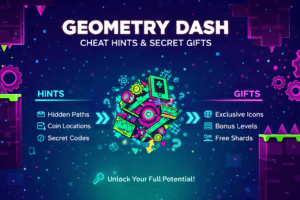
Hidden Paths
Some levels have secret routes. These paths are harder. They often lead to rewards.
Secret Coins
Secret Coins are hidden in risky places. Collecting them unlocks icons. Coins need skill and patience.
How to Control Frustration
Geometry Dash is hard. You will fail often. This is part of the game.
Tips to stay calm:
- Take breaks
- Play practice mode
- Do not rush
Progress comes slowly.
Geometry Dash Controls (PC)
- Jump: Space / W / Up Arrow / Mouse Click
- Pause: P
- Restart: Flag icon
- Effects: L
Controls are simple.
Timing is the real challenge.
Downloading Geometry Dash on Mobile
Android
- Open Google Play Store
- Search Geometry Dash
- Select the official game
- Buy and install

iOS
- Open App Store
- Search Geometry Dash
- Buy and download
Always use official stores.


Opening the Game
After install:
- Open the app
- Tap the Play button
- Level menu opens
You are ready to play.
Selecting a Level
Levels are shown in order.
Start from the first level.
Early levels teach basics.
Do not skip them.
Playing the Game Step by Step
Avoid Obstacles
Watch the screen carefully.
Jump or fly at the right time.
Follow the Music
Music shows jump timing.
Never mute the game.
Use Portals Carefully
Portals change speed or mode.
Prepare before entering.
Practice Mode
Practice mode adds checkpoints.
You restart from last checkpoint.
Use it to learn hard parts.
Music may not play fully here.
Jump Orbs
Orbs float in the air.
Tap when touching them.
They:
- Boost jumps
- Change gravity
Timing is very important.
Collect Hidden Coins
Coins are optional.
But they unlock rewards.
Risky but rewarding.
Finish the Level
Reach the end to win.
New levels unlock.
Each win feels rewarding.
Tips for Beginners
- Start with easy levels
- Use practice mode
- Learn one level at a time
- Keep volume on
- Stay patient
Improvement comes with time.
Why Geometry Dash Is Fun
- Simple controls
- Challenging gameplay
- Music-based timing
- Clear goals
Each success feels earned.
FAQs
Is Geometry Dash hard for beginners?
Yes, at first.
But early levels are simple.
Practice makes it easier.
Do I need internet to play Geometry Dash?
No.
You can play offline.
Online is needed for saves.
Is Geometry Dash free?
No.
The full version is paid.
There is also a free Lite version.
Why does Geometry Dash restart on every mistake?
This is part of the challenge.
It teaches patience and timing.
Can I play Geometry Dash on PC?
Yes.
It is available on Steam.
What is Practice Mode used for?
Practice mode helps learn hard parts.
It adds checkpoints.
Are hidden coins required to finish levels?
No.
They are optional rewards.
Does music really matter?
Yes.
Music helps time your jumps.
Conclusion
Geometry Dash is simple to learn. But hard to master. You jump with music. You avoid obstacles. Practice is the key. Stay patient. With time, your skills improve. And the game becomes very fun.